
11 Useful React.js Hacks Every Developer Should Know
Top React JS tips and tricks that will improve your React app performance

React JS is one of the widely used javascript libraries for web front-end development. Most of the new learners are starting their careers with React JS. It’s essential to know some best practices that can help you improve your application performance and improve code quality.
So here are 11 React JS tips with code examples that I think are very important and that every React developer should know—

1. Use Functional Components
In comparison with class components the functional components are simpler and more concise. There are several advantages that functional components provide such as — Reusability, Simplicity, Performance, Testing, and, Functional programming.
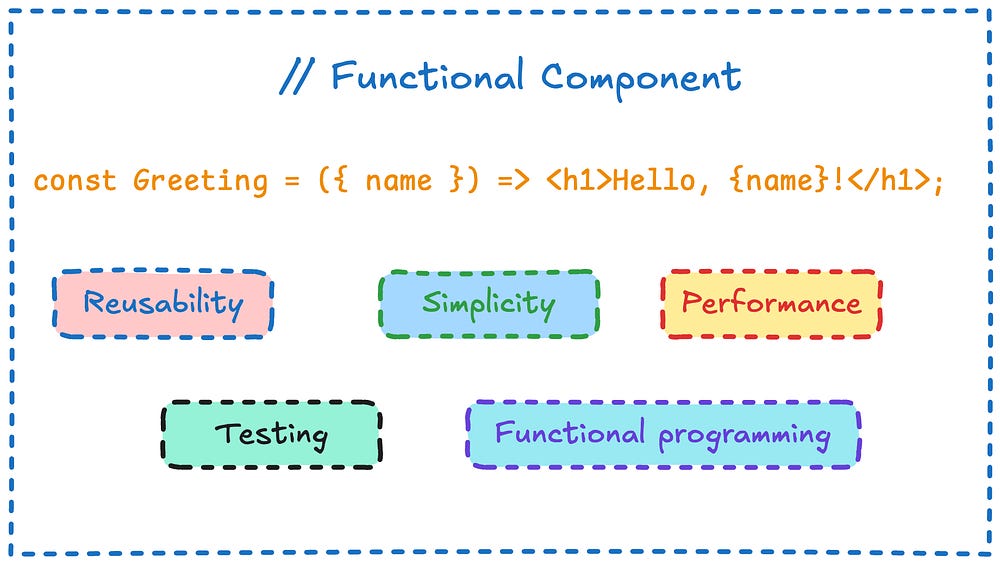
Reusability: It is easy to extract function components into small reusable components, We can also extract the logic in separate functions to reuse it at multiple places.
Simplicity: Functional components are easier to read and implement and they also need fewer lines of code.
Performance: With react hooks, the functional components offer more optimized state management and side effects. That is providing better performance than class components.
Testing: It is easy to test functional components due to the absence of internal state and lifecycle methods. They are using straightforward input-output based on the props.
Functional programming: The functional components offer functional programming which helps to make the application more modular and easy to read and debug.
2. Use React Fragments Instead of Extra div

We can wrap elements in `<Fragment>` to group them and return, this helps to prevent the unnecessary use of divs. The fragment doesn’t have any effect on DOM whether div is inline-block so it may break the UI.
Example:
// Without Fragments
 return (
   <div>
     <Header />
     <Content />
   </div>
 );

// With Fragments
 return (
   <>
     <Header />
     <Content />
   </>
 );
The empty JSX tag
<></>is shorthand for<Fragment></Fragment>in most cases.

3. Memoize Expensive Calculations with `useMemo`
In React JS `useMemo` hook can used to optimize the calculations by memorizing the Calculations of the function and returning them from the cache instead of calculating them again, it helps to reduce the re-computation.
import React, { useMemo } from 'react';
const ExpensiveComponent = ({ day }) => {
  const expensiveCalculation = useMemo(() => {
    return day * 24 * 60 * 60;
  }, [day]);

  return <div>Result: {expensiveCalculation}</div>;
};
export default ExpensiveComponent;
4. Use `useCallback` for Stable Functions

The useCallback hook can help reduce components' rendering by memoizing the functions.
useCallback stores the function object, so the same callback object is passed to the child component when a parent component re-renders. This prevents the child component from re-rendering, which can improve performance and create a smoother user experience[Source]
import React, { useCallback } from 'react';

const ParentComponent = () => {
  const handleClick = useCallback(() => {
    console.log('Button clicked');
  }, []);

  return <ChildComponent onClick={handleClick} />;
};

export default ParentComponent;
5. Lazy Loading Components
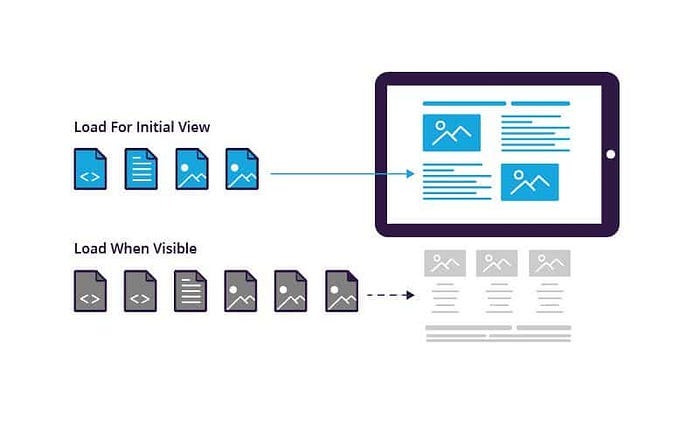
Lazy loading is one of the finest design patterns that we can follow to improve application performance, React is React.lazy and Suspense implements the lazy loading while loading the the react component.
import React, { Suspense } from 'react';

const LazyComponent = React.lazy(() => import('./LazyComponent'));

function App() {
  return (
    <Suspense fallback={<div>Loading...</div>}>
      <LazyComponent />
    </Suspense>
  );
}

export default App;
6. Use `PropTypes` for Type Checking
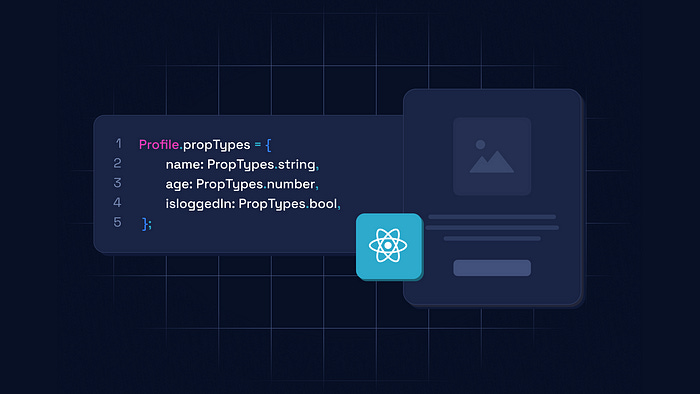
In React JS PropType serves as a method used to validate the datatype passed in the props to catch the early bugs. React propTypes help validate the data received from props by defining the types of values expected.
Install Prop Type
npm i prop-typesThe `PropTypes` can validate the props and catch the bugs.
import React from 'react';
import PropTypes from 'prop-types';

const Button = ({ label }) => (
  <button>{label}</button>
);

Button.propTypes = {
  label: PropTypes.string.isRequired,
};

export default Button;
7. Use `useReducer` for Complex State Management
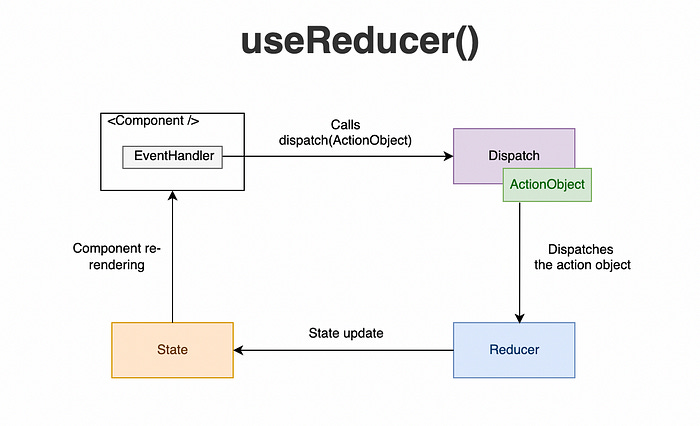
We can use useReducer to manage the complex states instead of using multiple useState . See the example below 👇
import React, { useReducer } from 'react';

const initialState = { count: 0 };

const reducer = (state, action) => {
  switch (action.type) {
    case 'increment':
      return { count: state.count + 1 };
    case 'decrement':
      return { count: state.count - 1 };
    default:
      return state;
  }
};

const Counter = () => {
  const [state, dispatch] = useReducer(reducer, initialState);

  return (
    <>
      <button onClick={() => dispatch({ type: 'decrement' })}>-</button>
      <span>{state.count}</span>
      <button onClick={() => dispatch({ type: 'increment' })}>+</button>
    </>
  );
};

export default Counter;
8. Avoid Inline Functions in JSX
Avoiding the inline function in JSX is considered good practice; it can reduce unnecessary re-renders.
import React, { useCallback } from 'react';

const Parent = () => {
  const handleClick = useCallback(() => {
    console.log('Clicked');
  }, []);

  return <button onClick={handleClick}>Click Me</button>;
};

export default Parent;
9. Use `React.memo` for Performance Optimization
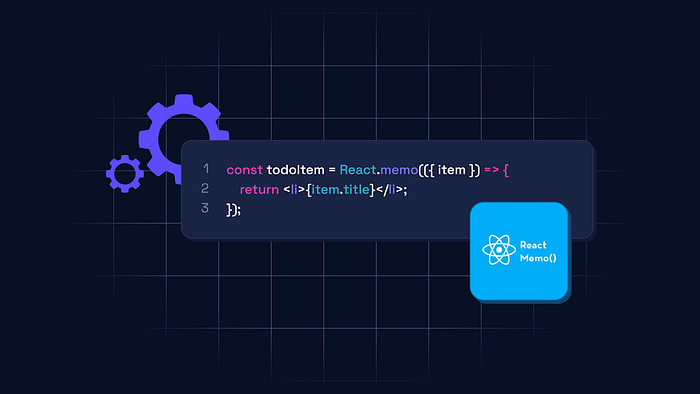
To avoid the re-reading of the component when the prop doesn’t change we can use React.memo, wrap the component with React.memo.
import React from 'react';
import PropTypes from 'prop-types';

const ChildComponent = React.memo(({ name }) => {
  console.log('Rendering Child');
  return <div>{name}</div>;
});

ChildComponent.propTypes = {
  name: PropTypes.string.isRequired,
};

ChildComponent.displayName = 'ChildComponent';

const Parent = () => {
  return <ChildComponent name="John" />;
};

export { ChildComponent, Parent };
10. Use `Context` for Global State Management
In React JS, to manage global state without prop drilling we can use Context API to manage the global state.
const UserContext = React.createContext();

const App = () => {
  const [user, setUser] = useState("John Doe");

  return (
    <UserContext.Provider value={user}>
       <Profile />
    </UserContext.Provider>
  );
};

const Profile = () => {
  const user = useContext(UserContext);
  return <div>Username: {user}</div>;
};
11. Use `Error Boundaries` to Catch Errors
With Error Boundaries, we can catch and fix (handle) the errors in the component tree.
class ErrorBoundary extends React.Component {
  constructor(props) {
    super(props);
    this.state = { hasError: false };
  }

  static getDerivedStateFromError() {
    return { hasError: true };
  }

  render() {
    if (this.state.hasError) {
      return <h1>Something went wrong.</h1>;
    }
    return this.props.children;
  }
}

const App = () => (
  <ErrorBoundary>
     <MyComponent />
  </ErrorBoundary>
);
These tips will help you write more efficient and maintainable React code while optimizing performance and ensuring a better user experience.
Thank you for reading this blog post, if you are interested in learning more about full-stack development, consider following me on Twitter (X) and Medium.
What's the difference between use prop-types and interface or type?
```
import React from 'react';
interface ButtonProps {
label: string;
}
const Button = ({ label }: ButtonProps) => (
<button>{label}</button>
);
export default Button;
```
I think it will give the same effect but without using an additional pack